Malware Analysis: Static vs. Dynamic and 4 Critical Best Practices
Malware analysis is the process of examining malicious software to understand its functionality, behavior, and potential impact aiming to neutralize it or prevent future attacks.
What Is Malware Analysis?
Malware analysis is the process of examining malicious software to understand its functionality, behavior, and potential impact, with the goal of neutralizing it or preventing future attacks. It involves techniques such as reverse engineering, code analysis, and behavioral analysis to identify security threats and inform security defenses.
The objectives of malware analysis are:
- To identify the type and origin of the malware sample, including its distribution and spread mechanisms.
- To understand the functionality and behavior of the malware, including its goals and objectives.
- To identify potential indicators of compromise, such as known malicious signatures or suspicious file formats.
- To determine the potential threat level posed by the malware and assess the risk to the target environment.
- To inform response strategies, including mitigation and remediation, to minimize the impact of the malware on the target environment.
This is part of a series of articles about cloud attacks.
In this article:
- Why Malware Analysis Is Critical for a Strong Cybersecurity Posture
- Types of Malware Analysis Tools
- Static Analysis
- Dynamic Analysis
- Hybrid Analysis
- Manual vs. Automated Malware Analysis
- Manual Analysis (Reverse Engineering)
- Fully Automated Analysis
- 4 Malware Analysis Best Practices
- Use a Large Sample of Suspected Malware
- Only Analyze Malware with Active Command and Control (C&C)
- Use a Secure Environment to Run Malware
- Capture and Store VM Image Snapshots
Why Malware Analysis Is Critical for a Strong Cybersecurity Posture
Malware analysis is critical for a strong cybersecurity posture for several reasons:
- Improved security posture: Malware analysis provides insight into the behavior and techniques used by malware, allowing organizations to improve their cybersecurity posture by updating their defenses accordingly.
- Early detection and response: By analyzing malware samples and identifying potential indicators of compromise, organizations can detect malware early and respond quickly to minimize the impact of an attack.
- Threat intelligence: Malware analysis provides valuable intelligence about the latest tactics and techniques used by cybercriminals, allowing organizations to better understand and prepare for future attacks.
- Improved incident response: Malware analysis supports digital forensics and incident response efforts by providing information about the origin and behavior of malware, helping organizations to respond more effectively to cyber incidents.
- Risk assessment: Malware analysis provides a means of assessing the potential risk posed by malware to the target environment, allowing organizations to prioritize their security efforts and allocate resources accordingly.
- Compliance: Malware analysis can be used to meet regulatory and compliance requirements, such as the Payment Card Industry Data Security Standard (PCI DSS) or the General Data Protection Regulation (GDPR).
Types of Malware Analysis Tools
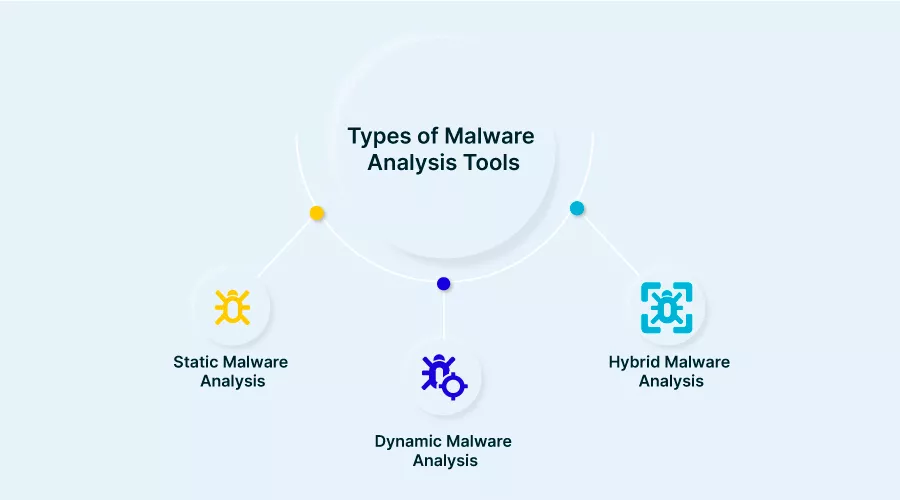
Static Analysis
Static analysis is a method of examining malware without executing it. This is typically done by analyzing the code of a binary file to understand its functionality and identify any malicious activity. Static analysis is used to identify potential security threats in a sample without the risk of infecting the analysis environment. It is often used as a first step in malware analysis, to gather initial information and identify potentially malicious code before dynamic analysis is performed.
The goal of static properties analysis is to gather initial information about the malware sample, including its origin and distribution, and identify any potential indicators of compromise, such as known malicious signatures or suspicious file formats.
This stage of analysis is performed without the risk of infecting the analysis environment, as the malware is not executed. The results of static properties analysis can be used to inform the next stages of analysis, such as dynamic or manual code reversing.
Dynamic Analysis
In dynamic analysis, the malware sample is executed in a controlled environment, such as a sandbox, and its behavior is observed interactively. It involves monitoring the file system, registry, and network activity of the malware as it runs, and observing any malicious behavior, such as data exfiltration or unauthorized connections to remote servers.
Interactive behavior analysis provides a more in-depth understanding of malware behavior than static properties analysis, as it allows security experts to observe the malware’s behavior in real time. The goal is to understand the functionality and capabilities of the malware, including its objectives, and identify any potential indicators of compromise or weaknesses in its behavior.
Hybrid Analysis
Hybrid analysis is a combination of static and dynamic analysis, where both techniques are used together to examine malware. For example, static analysis can be used to identify potential threats, while dynamic analysis can be used to observe the malware’s behavior in real time. Hybrid analysis is often considered the most effective method of malware analysis, as it provides a thorough understanding of both the code and behavior of a sample.
Manual vs. Automated Malware Analysis
Manual Analysis (Reverse Engineering)
In manual analysis, security experts manually examine the code of a malware sample to understand its functionality and behavior. It involves reverse engineering the binary code of the malware, disassembling it, and analyzing the underlying logic and instructions.
The goal of manual code reversing is to provide a detailed understanding of the malware’s behavior, including its goals and objectives, and identify any potential indicators of compromise or weaknesses in its behavior.It is often performed after initial analysis, such as dynamic or automated analysis, to build a comprehensive understanding of malware behavior.
Manual code reversing can be time-consuming and requires specialized skills and knowledge, but provides the highest level of detail and insight into malware behavior. The results of manual code reversing can be used to inform response strategies and improve cybersecurity posture.
Fully Automated Analysis
This stage involves using automated analysis tools, such as sandboxes, to execute and analyze malware in a controlled environment. Automated analysis can provide a more efficient and less time-consuming way of understanding malware behavior, but may not provide the same level of detail as interactive or manual analysis.
4 Malware Analysis Best Practices
Use a Large Sample of Suspected Malware
By analyzing a large and diverse set of malware samples, organizations can gain a deeper understanding of the latest tactics and techniques used by cybercriminals, as well as identify trends and patterns in malware behavior. It helps improve the accuracy of malware detection and analysis and to better understand the behavior of the malware in the target environment.
This practice can help organizations identify new or previously unknown malware, which can be used to improve their security posture. Additionally, by continuously expanding the malware sample size, organizations can stay up-to-date with the latest developments in malware and the threat landscape, which is critical for staying ahead of evolving cyber threats.
Only Analyze Malware with Active Command and Control (C&C)
When conducting malware analysis, it is important to only analyze malware samples whose remote C&C infrastructure is running to ensure that the full behavior of the malware can be observed and analyzed. This is because many types of malware rely on communication with their remote infrastructure in order to execute their malicious actions.
By only analyzing malware whose remote infrastructure is running, security researchers can gain a complete understanding of the malware’s behavior and can observe how it interacts with its command and control (C&C) servers, data exfiltration servers, or other remote systems.
Additionally, analyzing malware whose remote infrastructure is running can provide valuable information about the malware’s infrastructure and operations, which can be used to improve incident response efforts and to take steps to disrupt the malware’s activities.
Use a Secure Environment to Run Malware
Running malware in a secure environment ensures that the analysis is conducted in a controlled and isolated environment, reducing the risk of the malware contaminating the target environment or spreading to other systems. It helps protect sensitive systems and data from damage or theft and can minimize the impact of a security breach.
Additionally, using a secure environment for malware analysis can help to ensure the accuracy of the analysis results. Malware can be designed to evade detection and analysis by security tools, and running malware in a secure environment can prevent the malware from altering its behavior or hiding its activities from the analyst.
When selecting a secure environment for malware analysis, it is important to choose one that provides robust isolation, logging and monitoring capabilities, and that can be configured to meet the specific needs of the analysis. It is also important to regularly update the environment and its components to ensure that they are protected against new threats and vulnerabilities.
Capture and Store VM Image Snapshots
VM image snapshots allow security researchers to capture the state of a virtual environment at a specific point in time, providing a permanent record of the malware’s behavior and activities during the analysis.
Storing VM image snapshots allows security researchers to revert to a known good state if the malware causes any harm to the virtual environment, and to review the malware’s activities at a later time. This can be especially valuable when conducting complex malware analysis, as it allows researchers to review their findings and to go back and examine specific stages of the malware’s behavior.
Aqua Cloud Native Application Protection Platform (CNAPP)
Go cloud native with the experts!