Code and Runtime Are Disconnected
Code, image, cloud and runtime data often live in separate tools, making it difficult to follow risk into production or understand how it affects running applications.
Security teams often lack a continuous view of what is running across cloud environments and AI applications. As workloads change and new exposures emerge, fragmented visibility makes it harder to understand where risk exists, what is changing and where attention is needed.
Code, image, cloud and runtime data often live in separate tools, making it difficult to follow risk into production or understand how it affects running applications.
Cloud inventory shows which assets exist, but not the process, file, network and memory activity occurring inside running workloads.
Monitoring coverage often changes by workload type, infrastructure or deployment model, leaving blind spots across hybrid, multicloud, on premises and air gapped environments.
Connect context across code, images, cloud infrastructure and running workloads so teams can follow application risk across the lifecycle.
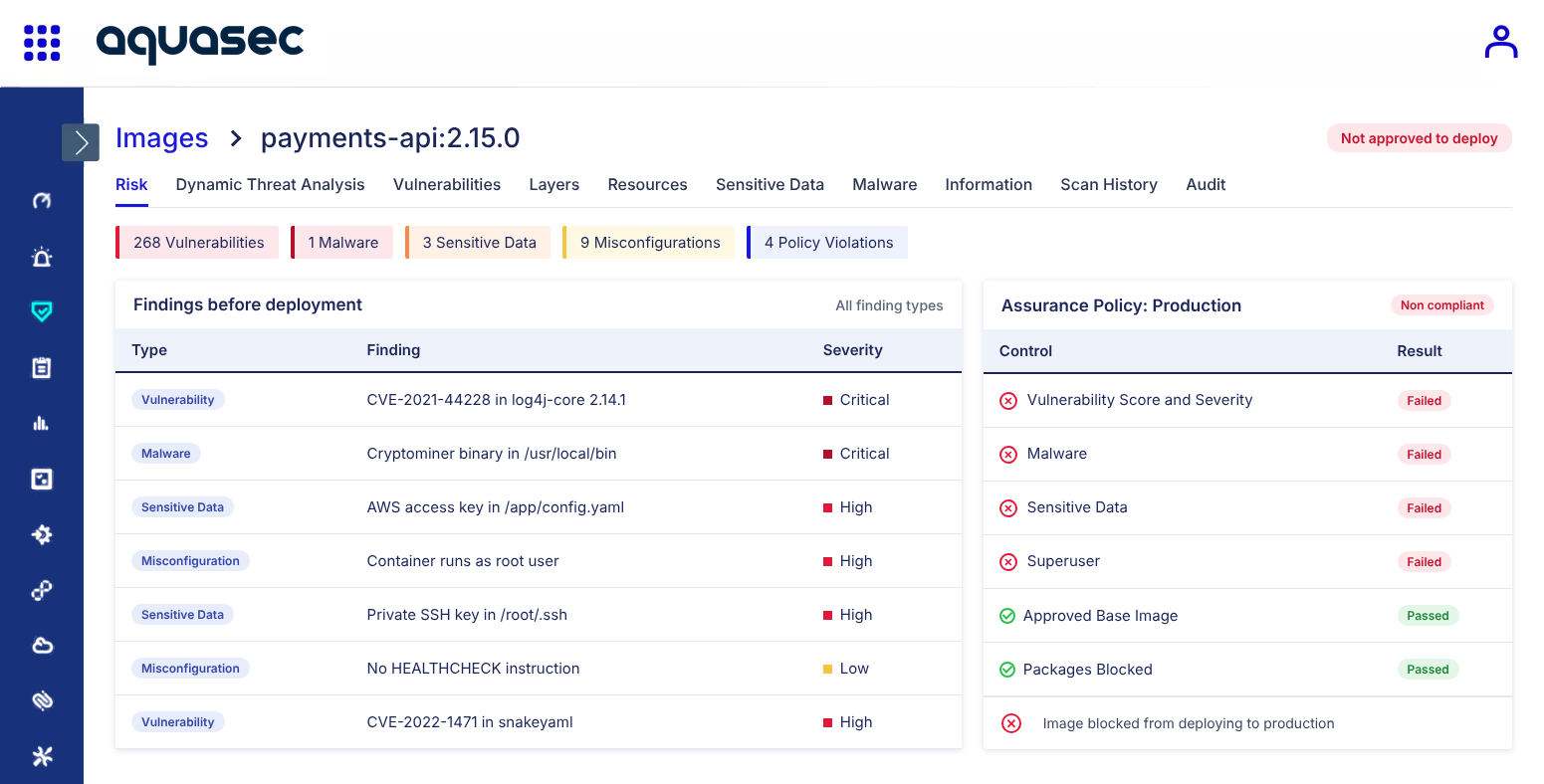
Gain early visibility into vulnerabilities, embedded secrets and misconfigurations across repositories and images before applications reach production.
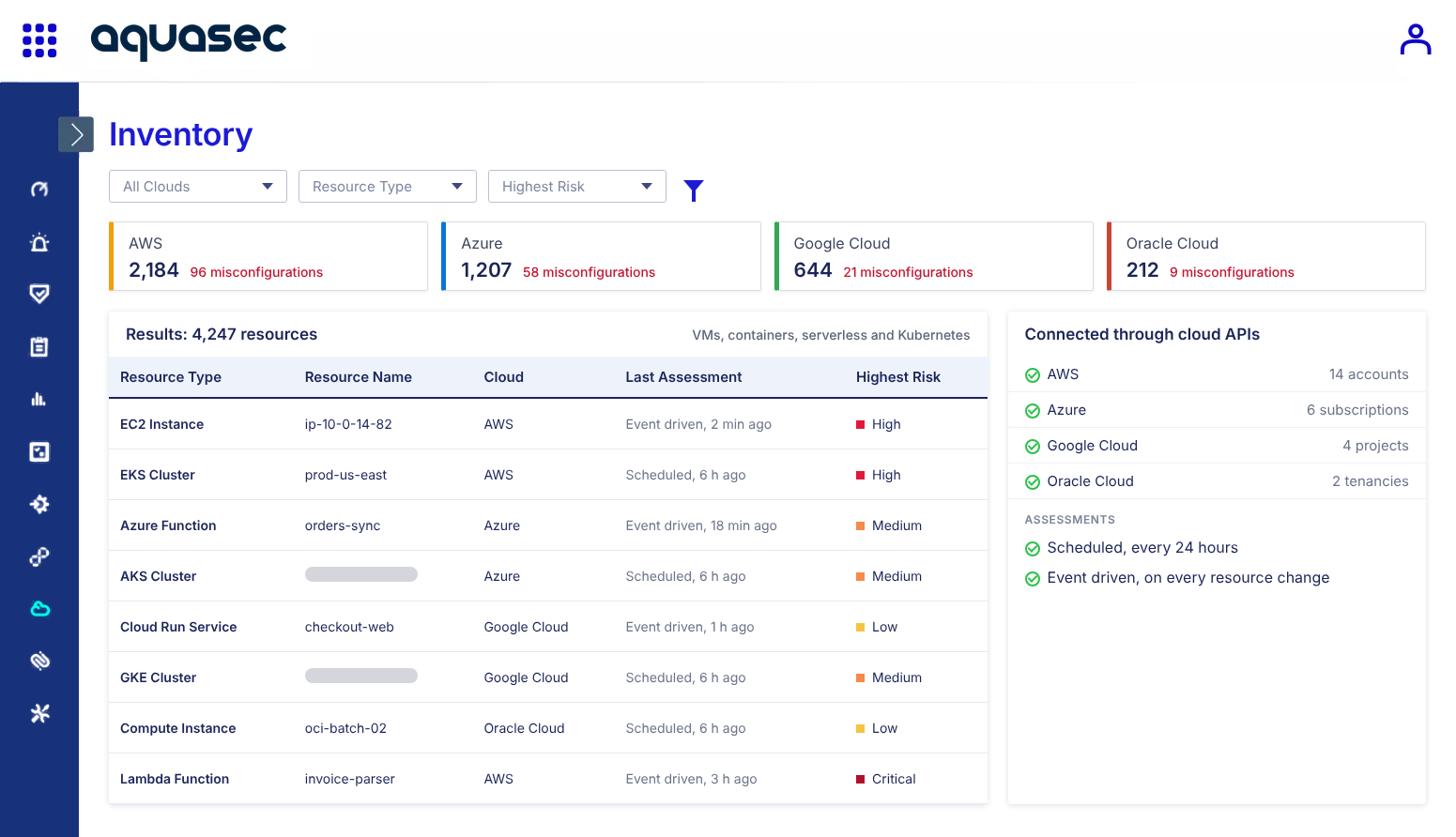
Understand what is deployed and where configurations or exposure may introduce risk with an immediate view of cloud workload posture that does not require agents.
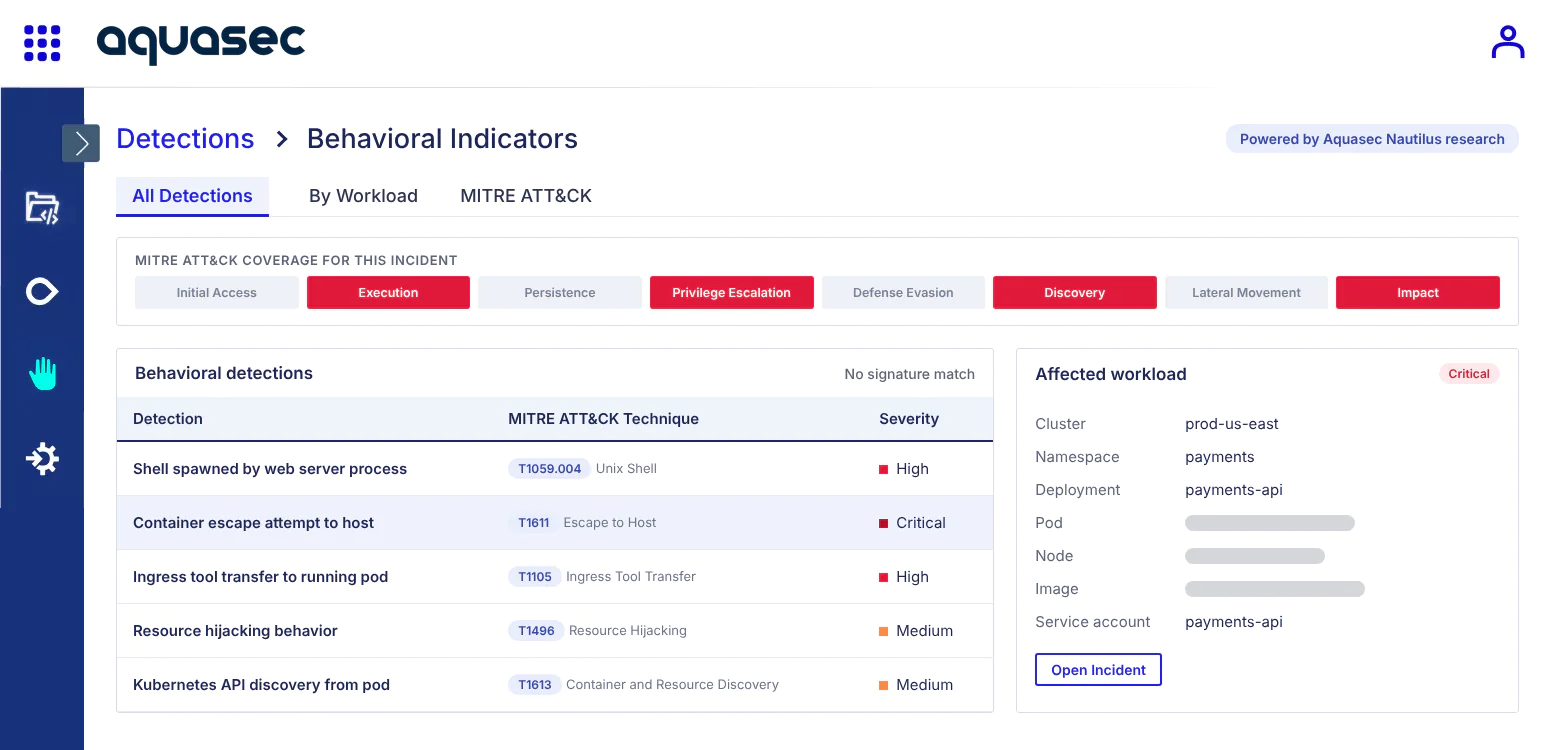
Track process, file, network and memory activity across AI apps, containers, Kubernetes, virtual machines and serverless functions to understand what applications are actually doing at runtime.
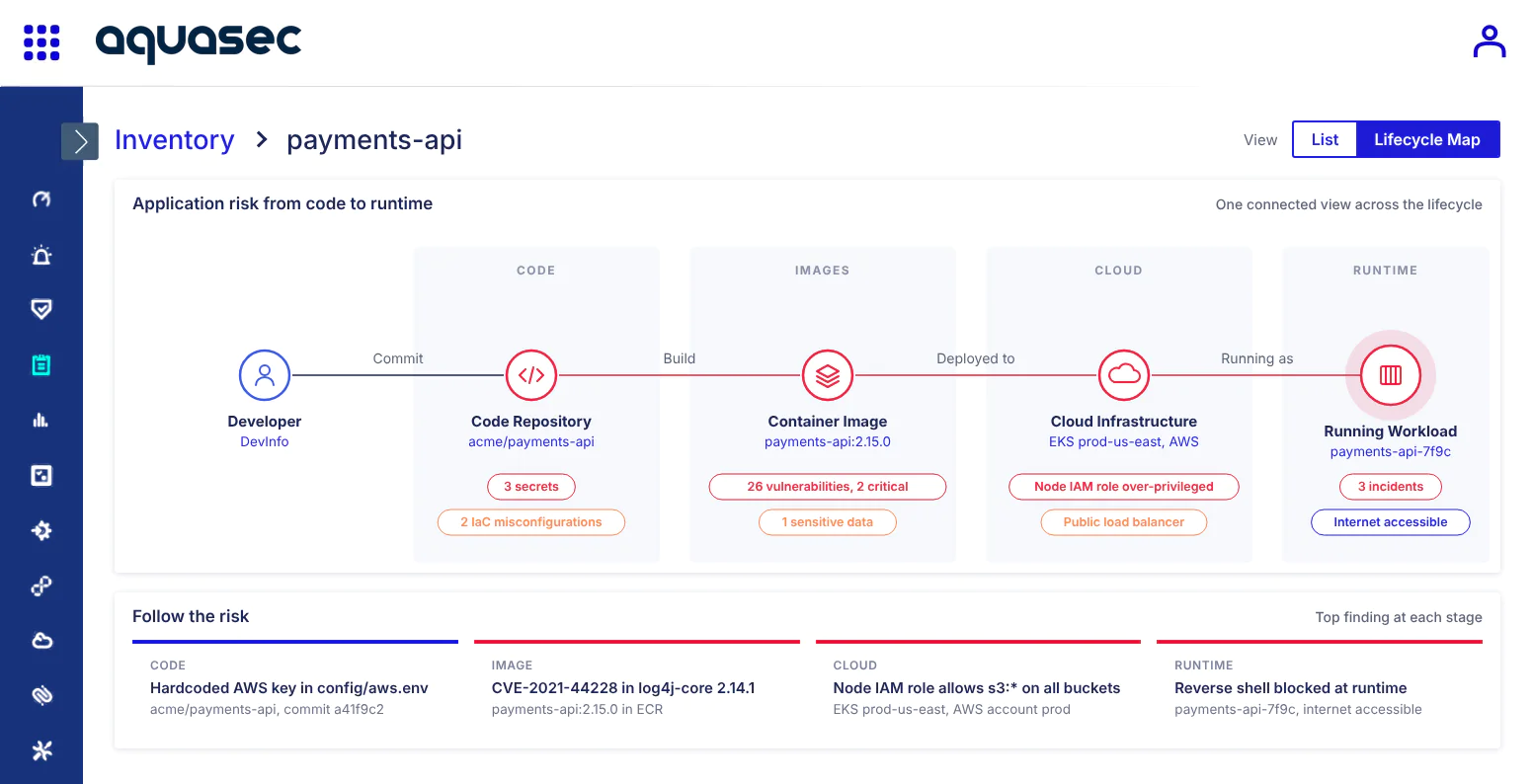
Trace risk from code and images into deployed and running workloads to understand where application risk originated and how it affects production.
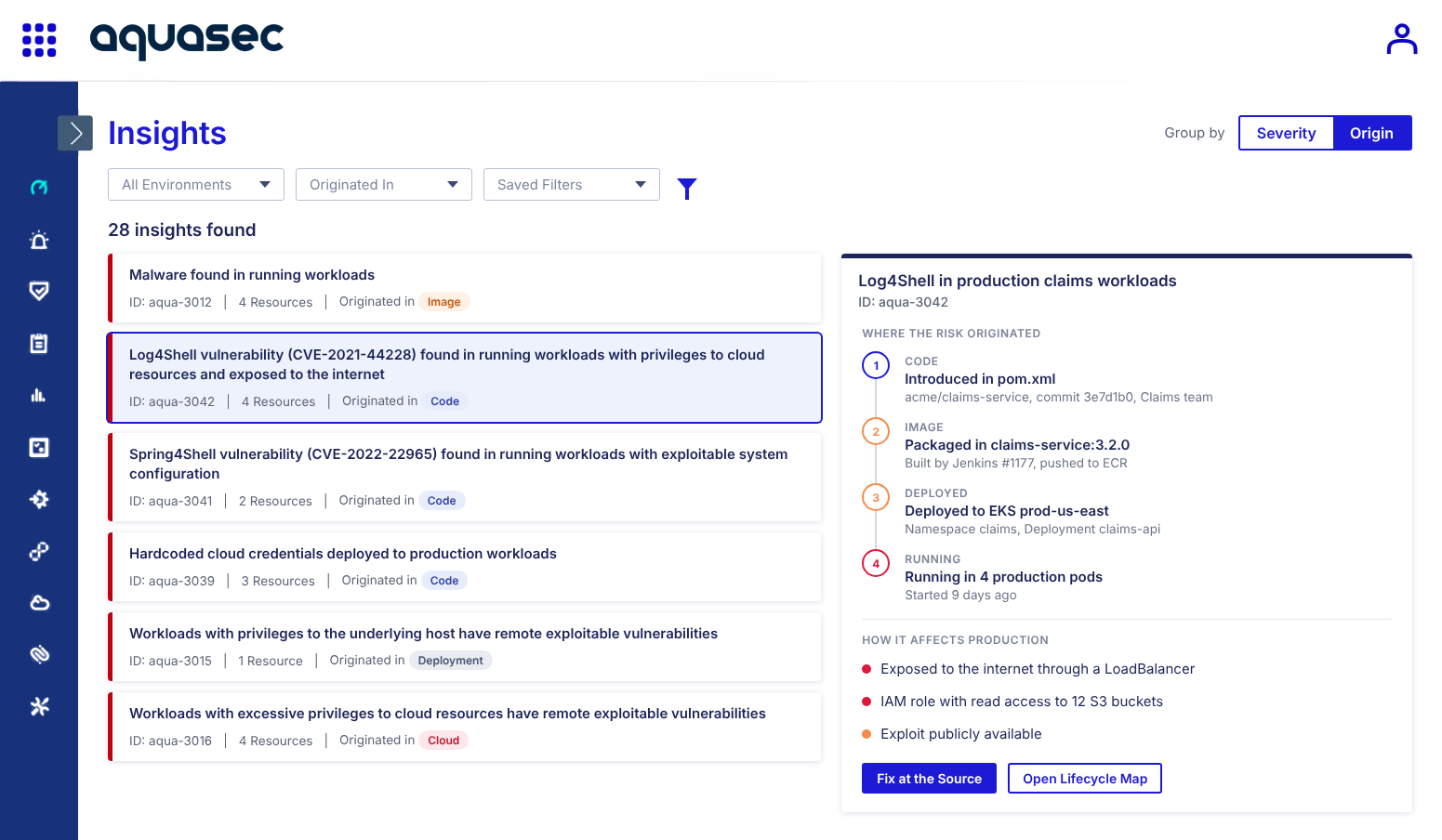
Cloud native security monitoring provides continuous visibility into the code, images, infrastructure and workloads that make up modern applications. Aquasec extends that visibility into runtime, including the process, file, network and memory activity occurring inside running workloads.
Aquasec scans code repositories and container images for vulnerabilities, embedded secrets and misconfigurations. This gives security and development teams visibility into application risk before an artifact is deployed into a production environment.
Aquasec monitors process execution, file changes, network connections and memory activity inside running workloads. This provides deeper context than cloud inventory alone by showing how containers, virtual machines and serverless functions behave after deployment.
Yes. Aquasec supports on premises, hybrid, multicloud, disconnected and air gapped environments, helping organizations maintain visibility across diverse infrastructure and workload types.
Aquasec connects findings from code and images with cloud workload posture and live runtime activity. This gives teams a continuous view of application risk, helping them trace risk from development into production and understand how it affects running workloads.
See runtime control stop an attack the moment it tries to execute.