In modern development workflows, integrating security seamlessly into the development process is crucial for delivering secure applications efficiently. Developers need security tools that work naturally within their development environment, providing immediate feedback without disrupting their workflow. The new Trivy extension for Visual Studio Code addresses this need by directly bringing comprehensive security scanning capabilities into your editor.
By integrating Aqua Trivy into VS Code, developers can now perform vulnerability detection, misconfiguration checks, and secret and Static Application Security Testing (SAST) scanning as a natural part of their development process. This native integration enables teams to identify and address security issues early in the development lifecycle, significantly reducing the cost and effort of fixing security issues in production.
Why VS Code Extension? Why Now?
Visual Studio Code is a lightweight yet powerful source code editor that runs on your desktop and is available for Windows, macOS, and Linux. It supports a wide range of programming languages and development workflows, making it a favorite among developers.
According to the 2024 Stack Overflow Developer Survey, 74% of respondents reported using VS Code, solidifying its position as one of the most popular development tools.
Trivy has long been a versatile CLI tool, scanning containers, filesystems, IaC, and more. While very powerful, not every developer prefers to work in the terminal or interpret JSON output, especially when working with day-to-day workflows . The VS Code extension bridges that gap, making security checks a natural part of the development process.
This integration means developers can identify and address issues early, reducing the risk of vulnerabilities making it into production. It’s about making security seamless and integral, not an afterthought.
What Can You Do with the Trivy Extension?
We have packed a lot of functionality into the Trivy extension for VS Code, here are some of the key features that have been added.
Smarter, Simpler Settings
Configuring both VS Code and security tools can often be a daunting task, especially when it involves navigating complex settings or manually editing configuration files.
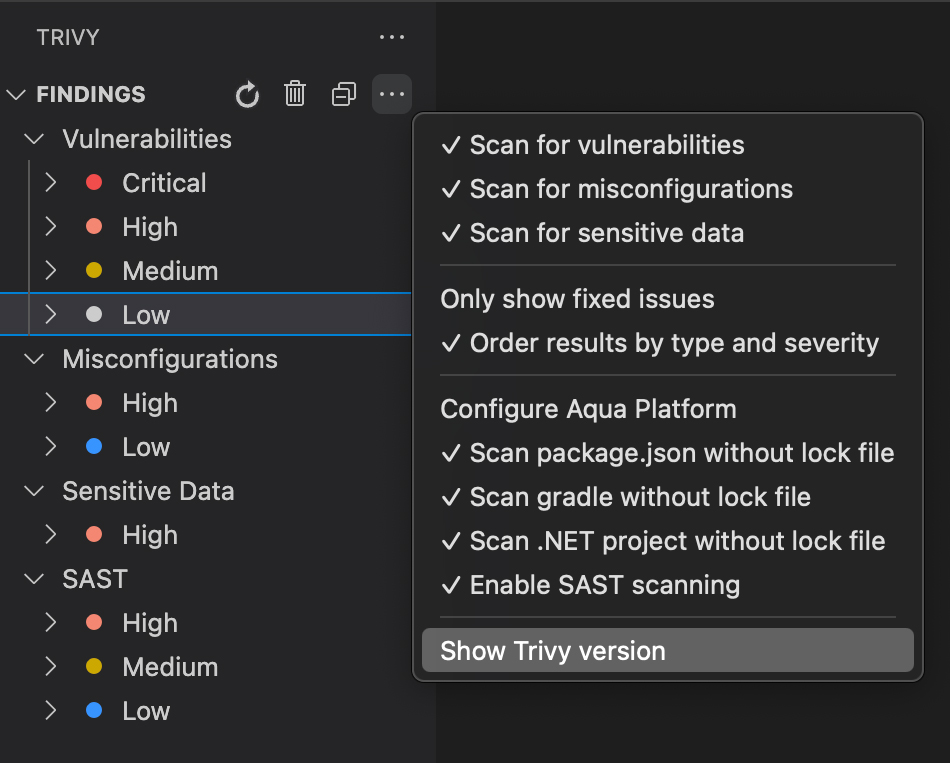
Trivy in VS Code providies an intuitive interface for managing scanning settings
The Trivy extension for VS Code eliminates this hassle by providing an intuitive and user-friendly interface for managing essential settings.
With the extension, you can:
- Easily toggle scan types (vulnerabilities, misconfigurations, secrets , and SAST findings) directly from the extension menu.
- Control offline scanning, respect. gitignore files and honor the Trivy config file without leaving the IDE.
- Customize results views, how to view scan results :
– Switch between viewing results by file or organizing them by type and severity.
– Filter out severities that you’re not ready to address.
– Focus on the issue types that matter most to you.
These streamlined settings ensure that you can tailor the extension to fit your workflow, making security scanning an effortless part of your development process.
Enterprise-Ready: Aqua Platform Integration
We have added support for VS Code in the Aqua Platform.
- Dedicated settings page for managing Aqua credentials
- API keys securely stored using VS Code’s Secret Storage
- Credentials are validated before saving for peace of mind
- Scan results stay local with no upload to Aqua Platform
- Full audit trail in Aqua shows who ran scans, when, and on which repo
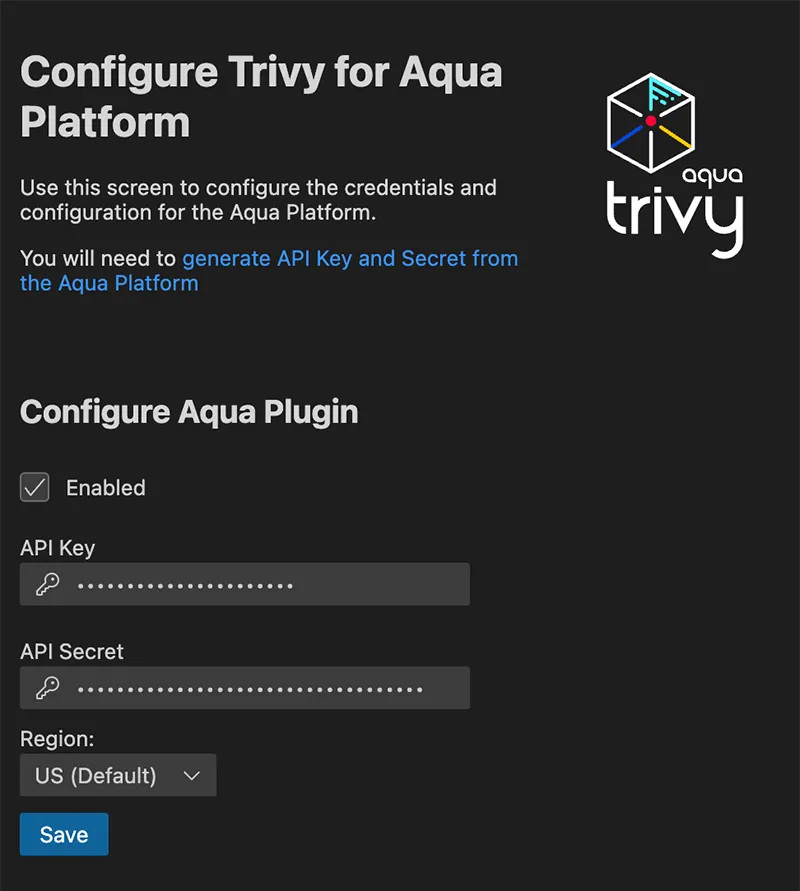
Configuration of the trivy plugin for VS Code in the Aqua Platform
Shift Left With Assurance Policies
Assurance Policies in the Aqua Platform allow organizations to define security policies that combine Trivy checks into a comprehensive set of rules. These policies can be used to block builds or generate warnings during the scanning process, ensuring that security standards are met before code progresses further in the development lifecycle.
By integrating Assurance Policies into the Trivy extension for VS Code, developers gain visibility into these policies directly within their development environment. This means that as developers write and scan their code, they can immediately see if their work complies with their organization’s Assurance Policies. This means that as developers write and scan their code, they can immediately see if their work complies with their organization’s Assurance Policies and fix issues early, before they reach later stages of the CI/CD pipeline.
If a policy is violated, developers are alerted early, allowing them to address issues before they escalate to later stages of the pipeline.
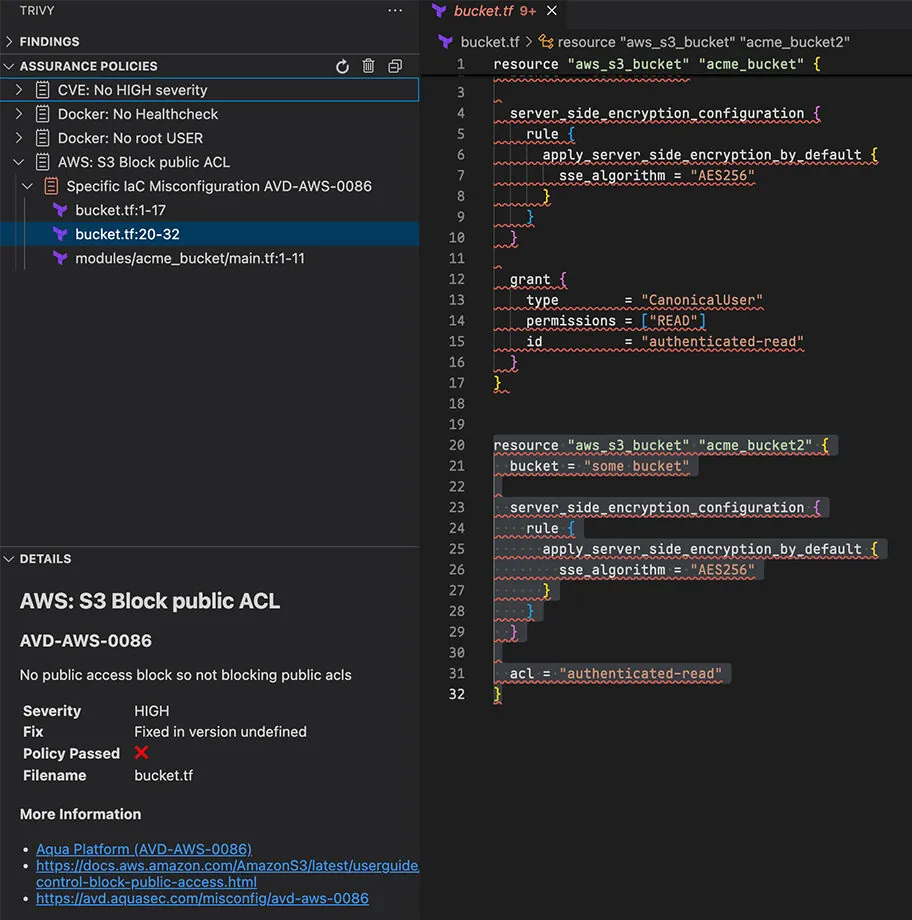
Navigate from the issue explorer direct to the code
This integration empowers developers to:
- Understand the specific security requirements of their organization.
- Avoid surprises during build or deployment processes by identifying potential policy violations early.
- Access detailed information and links to learn more about the policies directly from the VS Code interface.
Including Assurance Policies in VS Code ensures that security becomes a seamless part of the development process, helping teams maintain compliance and build secure applications efficiently.
Built for Developers: Smarter Security in VS Code
The Trivy extension for VS Code is packed with features designed to enhance your development workflow and make security scanning more intuitive.
Here are some highlights that are available both for the Trivy Open Source Community and the Aqua Platform:
- Integration with Problems: Users more comfortable with the Problems pane can now navigate Trivy issues from here. The VS Code extension makes it easier to seamlessly enhance your existing way of working.
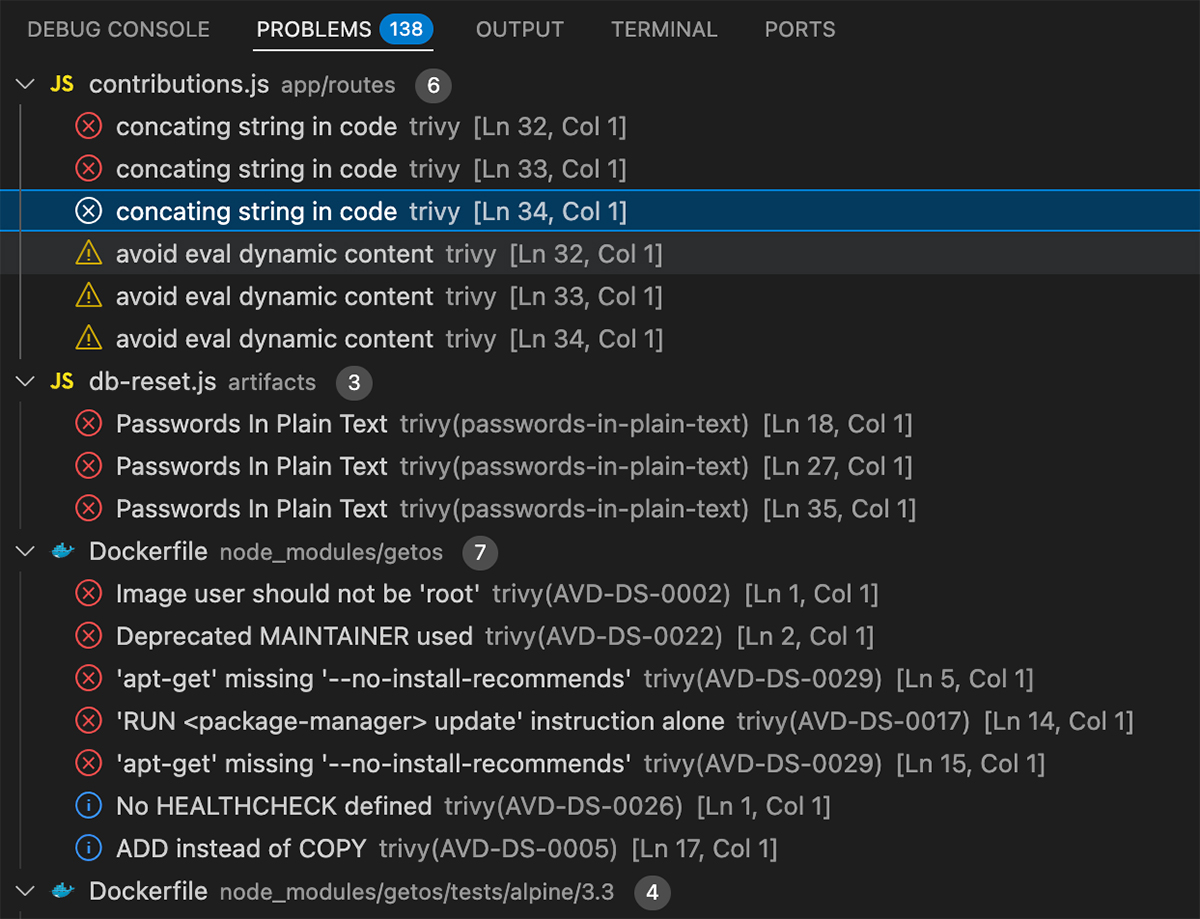
Navigate issues using the native Problems pane
- Code Lens Annotations: Gain deeper insights into your dependencies with Code Lens annotations. These annotations help you understand when a dependency is included transitively and trace its origin. This feature is especially useful for identifying and addressing potential vulnerabilities in your dependency tree. Expect even more Code Lens helpers in future updates!
- Prioritized Results: Results are automatically sorted by type and severity, ensuring that high-priority issues surface first. This allows you to focus on the most critical vulnerabilities and misconfigurations without getting overwhelmed. Prefer a different view? You can switch back to the file hierarchy from the settings menu.
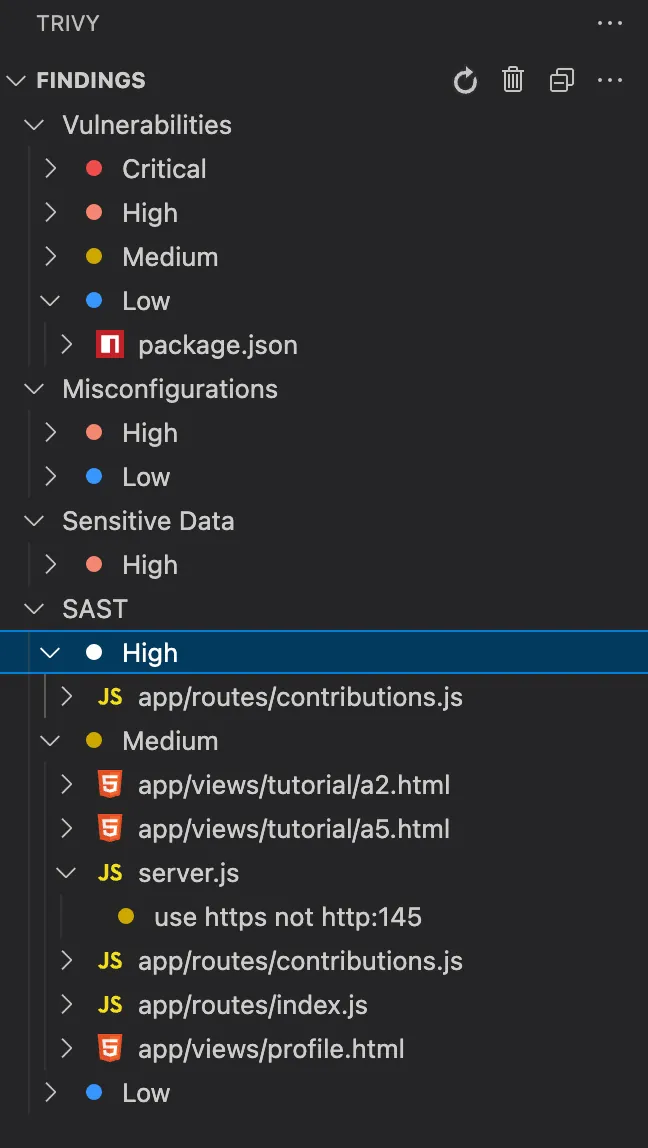
Trivy Findings grouped by type and severity.
These features, along with many others, make security scanning an effortless and integral part of your development process, helping you build secure applications with confidence.
Ready to Get Started? Try it Today.
Trivy is available to install directly from the VS Code extension marketplace
Just Click Install

Aqua Trivy in the VC Code Marketplace
If you’re a JetBrains IDE user, all is not lost! Much of the functionality that is available in the VS Code extension can be found in the JetBrains plugin. Visit the marketplace for more information.
What’s Next?
We’re continuing to refine the extension to make it as helpful and seamless as possible. If you’ve got feedback or hit any issues, please open a GitHub issue, we’re always listening.
Installing Trivy Directly from the Extension
If this is your first experience with Trivy, you can install directly from the extension, and we will ensure you have the correct version for your environment. No need to worry about keeping up to date, the extension will periodically check for latest versions of Trivy and prompt you to update.

No Trivy? No problem, install from inside the extension
We have a Walkthrough which can be accessed by using the VS Code Menu and searching for “Trivy Quick Start”